

How to make money online? If you are interested in learning about legitimate ways to earn money online, keep reading.
In 2005, I bought a book and learned HTML and CSS. I wanted to build an education website and earn money online. It was my dream to make a living as an online entrepreneur. Back then, few people made money with the Internet. A lot many like me aspired to make money online. On Google, a lot of people searched for the secret formula – “How to make money online?”
Fast forward to 2024!
A whole lot of people earn a livelihood with the help of the Internet. Almost all businesses, with a vision for the future, have their own business websites. Every other person has a smartphone. In many households, there are more smartphones than the number of people. People browse the Internet and use social media such as Facebook and Instagram every day.
Today, I run a boutique digital marketing agency which helps local business owners in their entrepreneurial journey. Our clients are primarily small businesses in the US, and many of them have entrusted us with their online success for more than a decade.
Despite the digital world being a part of our daily existence, people are still looking for ways to earn money online with help of computers (or smartphones). This article was originally written in 2011 and it’s still relevant today. (Of course, I have updated it several times.)
For most of us, jobs are necessity as we need money for sustenance and meeting our expenses. It is not the most ideal way of life (unless you enjoy your job and get paid well). When you know how to make money—whether offline or online—the road to financial freedom and quitting your job becomes a possibility.

Making money online is no get rich quick scheme. Thousands of Internet marketing gurus want you to buy their secret formula for making quick money, but no course or ebook is going to make you rich overnight.
Earning money online requires hard work and persistence. If you are ready to invest time and effort, there are plenty of methods for generating extra income from the Internet. Some of these are quick ways to make money while the rest are long-term ideas for making money.
How to Make Money Online? 💰 Legitimate Ways to Earn Money Online in 2024 & Beyond
How to make money online with just a computer and Internet at home for extra income or even your primary source of income? Here’s the updated guide to get you started with making money online in 2024, 2025 and beyond.
If you are wondering how to make money without having to work for a job, there are numerous ways of making money in the traditional market as well as in the online world. How to start making money from home? Starting an online venture is easy and quick. You can set up your online business/project in less than a few minutes and make money online.
In this article, we will see various ways of making money on the Internet and bringing home the bacon.
1. Sell your artwork
If you can sketch or draw, there’s money to make. Artists can make money selling digital or physical artworks such as illustrations, cartoons and paintings. Gain exposure by posting your art on online communities and social media. Create a portfolio website too. You can sell your artwork on platforms such as Etsy. You can also start accepting small-value commission works via gig marketplaces such as Fiverr.
2. Sell digital products
Digital products like daily planners and worksheets have a big market. If you are a creative graphic designer, you can monetize your skills. Identify a niche market to make your products. Create high-quality designs and sell them via online platforms such as Fiverr and Etsy. You can also market your products on social media.
3. Freelance content writing
Don’t want to start a website or blog? With the increasing number of websites and blogs, there is a constant demand for content for these websites. You can provide content for websites and make money online.
Wondering how to make money online by offering copywriting service? Check out freelancing websites such as Fiverr, Upwork and Freelancer. Fiverr is a great place for offering cheap copywriting services. You can create a gig to write one 500 words article for $5. You can also use Reddit, LinkedIn and Medium to find freelance writing work.
Do you have a good grasp of English or any other popular language? With increase in blogging and content marketing, there’s lots of opportunity for providing proofreading and editing services. You can find clients through cold outreach and also from various freelancing websites.
4. Work as a voice-over artist
With demand for business marketing videos and explainers, there’s a demand for voice artists. Voice-over talents help businesses narrate their content such as commercials, audiobooks, and demonstration videos. To find voice-over jobs, register on gig platforms such as Fiverr as well as freelancing websites like Voices and Upwork.
5. Publish and sell e-books
Do you have good knowledge about some subject? Can you help others find solutions to their pressing problems?
With the rise of ebooks, self-publishing is no longer an expensive proposition. When publishing ebooks, you don’t have to worry about printing and logistics. Write a book and get it edited and designed. Once the book is ready, submit your writing to a self-publishing platform. Your revenue will depend on the platform’s royalty policy. Many authors have become rich publishing ebooks.
You can write an e-book on your computer using any word processor. Once you have it ready, format it like a book and convert it into an e-book in ePub or PDF format. You can also add an interesting e-book cover to make it look attractive.
How to make money online through ebooks? Amazon is a great place to sell e-books. You can also sell it on your website/blog. Recruiting affiliates for selling your e-book is another possible strategy. Joining an affiliate programme such as ClickBank or Commission Junction as a seller and promote your e-book by offering a commission on sales.
With websites like Lulu, anyone can become a published author. You write your novel or book and submit it to the website. When someone orders your book, it is printed and shipped. You get a commission/royalty.
6. News clipping services
Among many jobs of a public relations company is keeping track of articles and reports published in newspapers, magazines and online journals. Some also track the latest developments in the client’s business area. You can offer this service as a stand-alone. Offer to send them daily or weekly updates and maintain a database of news reports and clipping for companies.
If you are a bit creative, you can modify and customize it to the requirements of your local companies and executives.
What about a service which tracks all the news and developments in the client’s business area while he is off on a vacation?
Your client won’t have to struggle with staying updated with news during or after his vacation. Charge a small fee for this comfort. Does this sound like a cool way of making money online?
7. Start affiliate marketing
Most would love to earn money by promoting products, but it requires you to connect with your readers in a way that instill confidence and trust in you. Create a website and build your audience. Once you have your audience, start promoting your products as an affiliate.
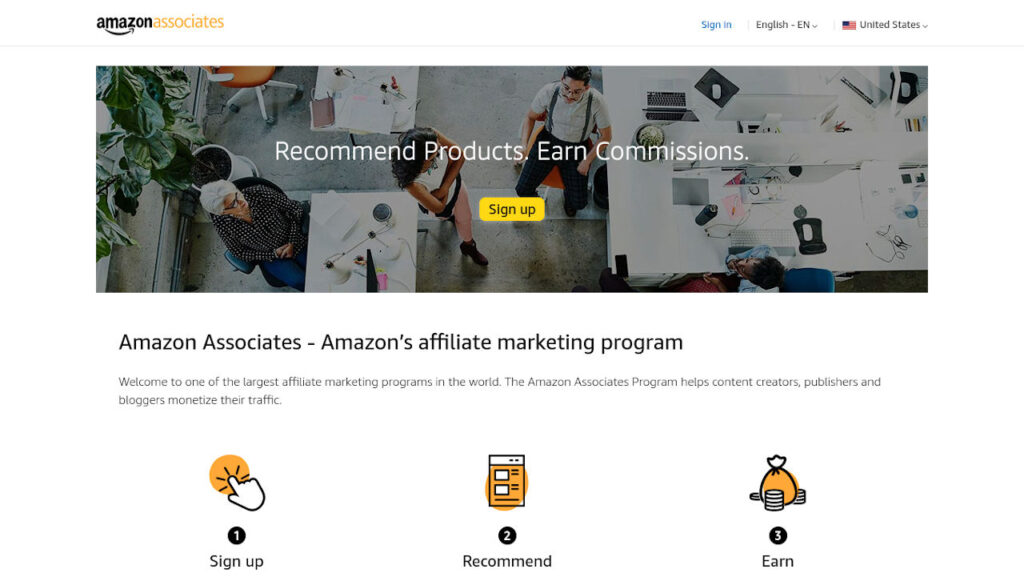
One of the most popular affiliate programmes for generating commission income is – Amazon (Amazon Associates affiliate program). You could earn up to 10% in commission on each sale that you bring. With Amazon, you have a huge range of products to promote and refer. No matter in what niche your website, you can always find good products to promote and earn commissions. Each time someone buys a product after landing on Amazon website using your affiliate link, you get to earn commission.
Like Amazon.com, there are local country-specific sites of Amazon too. If your website audience is country-specific, you could use those.
8. Sell stock photos & videos

Even if you are an amateur photographer, you can sell photos and videos on stock photo websites such as Fotolia, ShutterStock, Dreamstime and iStockphoto. Media houses, web designers and advertisers are constantly in need of stock photos and videos for websites, newsletters, presentations, brochures, etc.
If you are popular on Instagram for your photos, you can also offer those images for sale.
You get paid when someone downloads your media. Even if you upload one good photo which sells over and over again, you can make good money. Imagine the earning potential when you have hundreds of images. You can also start your own stock photo/video website.
Like photographs, there is a substantial market for stock vectors, illustrations and graphics. Many websites sell such graphics, and allow designers to upload their works on their websites. You get a share of revenue on each sale / download. One noteworthy website is Freepik.com
9. Virtual tutor
Can you help school and college students understand their course studies better? If you can tutor students, there are several e-tutoring websites where you can make money.
Online tutoring is a great way to share your knowledge with students all over the world. Choose a subject you’re well-versed in, and offer personalized lessons via video conferencing. There are online platforms such as Chegg, Studypool, Skooli and Course Hero.
Apply with a good e-learning website as a tutor, take the certification test and start helping students understand their syllabus or complete their homework.
10. Buy and sell domains
Domaining is the business of buying and selling domain names.
Spot domain names which can be registered, bought from owners or in domain expiry auctions. Before buying a domain name, confirm that the domain will interest some prospective buyers. Get hold of the domain name and then offer it to the end-user for a premium.
Domaining requires that you keep exploring the options available on websites like GoDaddy, Sedo, SnapNames, Flippa and eBay. Several good domains are allowed to expire. Look for such deals on domain auction websites where domains get listed after expiry. Expired domains can be a good starting point for making money online.
11. Sell your own music
Commercials, films and YouTube videos need music. With a surge in YouTube videos and also online advertising, increasingly more people need music that they can legally use for their videos. Creating and selling royalty-free music can be a great way to make extra cash for musically inclined people.
12. Earn money online as freelance programmer
If you can write programmes in PHP, Javascript, Ruby or other languages, you can find plenty of work on freelancing websites.
Register yourself with some good freelancing websites, roll up your sleeve and start working. Offer bargain prices in the begining and increase your rates gradually as you gain reputation as a top-quality service provider. A lot of people use this method to make money online.
13. Design & develop websites
Every day a large number of websites are created and old ones get redesigned. Almost every business needs a website. Even individuals who need to establish their personal brands require a website. There is a huge demand for web designers and website developers.
Even if you do not know anything about web designing, it will only take a few weeks to learn basics of website designing and coding.
Start taking simple website jobs and keep learning advanced techniques on the job. Web development work projects can be found on freelance websites and webmaster forums. You can also look for work offline from local businesses around you.
How to start web design business?
14. Become a graphic designer
Are you good at creating logos, graphics, product packaging, stock icons, brochures, flyers and other digital assets? As a graphic designer, you can help businesses with social media post designing too. You can start working as a freelance graphic designer or start your own design agency.

Graphic designers have to offer multiple options for logos, fliers and brochures to their clients. Only one of them is accepted by the client and the rest remain unused. You can also put such materials for sale on stock image websites.
15. Create website themes and templates
Not everyone can afford to get a custom website made by a web designer. Bloggers and website owners who want an attractive website without paying hundreds of dollars to web designers buy premium website templates and themes available for a fraction of the cost.
As a designer, you can create template and themes for popular content management systems (CMS) and sell them on websites like ThemeForest. Many popular website themes sell thousands of copies, aggregating millions of dollars in revenue.
WordPress being the most popular CMS, creating themes and plugins for WordPress is very lucrative for developers.
16. Sell merchandise
Can you create sexy illustrations and designs that can be used for t-shirts, coffee mugs, posters, greeting cards, key rings and other stuff? You can sell merchandise with your artwork, slogans or logos. You can invest in your own printing set-up or sell without having to bother about manufacturing or creating your own inventory.
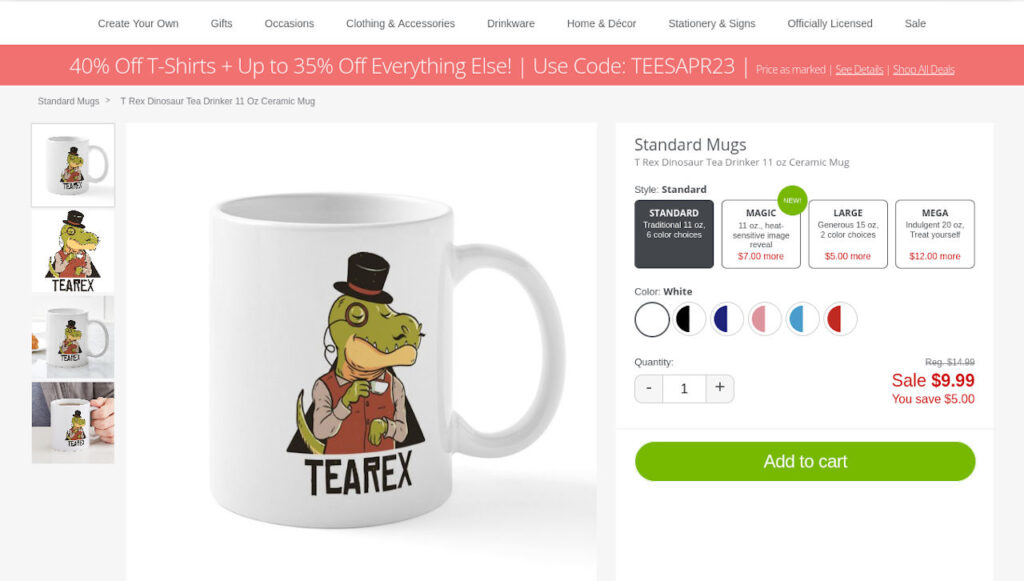
You can upload your artwork on websites such as CafePress, which takes care of managing and selling products with your artwork. You will receive a commission for each sale.
17. Virtual assistant
Small businesses, online entrepreneurs and individuals often need people to take care of their daily works or administration. Often the amount of work is not enough to justify a full-time employee or they want to outsource the job.
As a virtual assistant, you may have to work in the role of an assistant, a secretary, an accountant or just about anything. You can make money from your home, interacting with clients either online or over the phone.
You can also work as a virtual assistant for various online work such as social media posting, ad posting, research, finding prospects (clients), etc.
18. Sell old stuff
More and more people buy books, videos, electronics and other stuff online. The volume of Internet marketing has been growing constantly. You can also make money online by selling new or used products on websites like eBay. You can also find second-hand cars being sold on eBay.
19. Sell hand-made items
It’s not just high-tech gadgets that sell online. Handmade items such as bags, jewellery, key rings and greeting cards are also in demand from online shoppers. If you can create such stuff, join websites like Etsy and start making money online. Social media platforms such as Instagram are also popular among those selling hand-made products.
20. Internet directories
A website directory can be used to make money online by charging website owners to be listed in your directory. If your website directory is reputed among users and search engines, you can command a premium for listings and backlinks.
You can create directory websites which provide lists of products or websites in a particular segment. For example, you can create a directory of free WordPress themes. You can sell ad space to advertisers directly or using networks such as Adsense.
21. Building apps
With smartphones in every hand, there is a growing market for apps for use on these devices. Developing and selling your own app can make you a millionaire. All that you need to do is invest time and effort in creating a really interesting and useful app. Of course, you need to identify a great idea and also need to learn coding if you don’t know it already.
22. Social media influencer
Social media has become an important promotion and marketing avenue. Brands and companies pay social media influencers for promotions and advertisements.
Being a social media influencer on Instagram or Facebook needs you to gather a huge following. Depending on your niche, you can start approaching companies and brands for tie-up opportunities with 50K followers.
23. Flipping websites for online income
Like real estate, there is a whole bunch of investors and speculators willing to buy websites and blogs. You can tap this pool of buyers by offering them new, turnkey websites created on topics or niches which are considered good money spinners.
If you own a website with a steady income, buyers will be willing to pay around 12-24 times the monthly revenue. You can also buy websites, increase traffic and revenue through SEO and then sell it for a higher price. Go and check out Flippa to see how others trade in this market.
24. Sell online courses
E-learning has become a big thing over the last few years.
If you are an expert in any subject or have some skills, you can create courses around them. There are many websites such as Udemy where hundreds of thousands students pay for a wide variety of courses.
People earn money creating courses around regular subjects to off-beat topics. You can create courses for sewing, making jewellery, painting or just about anything. You can structure your knowledge in video lessons and PDF documents. Package this together as an online course.
Once you have your course ready, you can sell it through your website and social media platforms, or you can list it on any popular learning website.
25. Search engine optimization

SEO is a great way to make money online as a freelancer.
Most of the organic, free traffic to websites is driven through search engines such as Google and Bing. A website in the first position in search engines for its target keywords will get the maximum number of visitors. So it becomes very important to optimize your website for search engines and strive for being at the top on search result pages.
SEO is a lucrative business and just a few good clients can get you a steady online income.
26. Earn money online with websites
The Internet has millions of websites. Did you ever wonder why? Websites are like online real estate that bring you money. You don’t need a degree in Computer Science to create a website. Register a domain name (around $15 per year) and buy web hosting space (around $150 annually), and you are ready to build your website.
You can use content management systems such as WordPress to create websites. Once you have your online property ready, sell advertising space and hyperlinks or offer to publish paid content.
27. Make money online with blogs
Blogs are specialized websites which are updated frequently and have a different format of presenting information. Blogs can be about a niche topic, personal experiences, travelogues or how-to guides.
Discover a good niche for your blog after analyzing your area of strength and advertising revenue potential.
You can use free services such as Blogger to create a blog without spending a penny, but always buy your domain name and integrate it with your free Blogger blog. Switch to your self-hosted WordPress blog with own domain name as soon as you can.
Pick a great niche, create high-quality content, share with all your friends on Facebook, Pinterest and Twitter, and you are off to a good start. Once your blog starts getting decent number of readers, monetize it using ad networks, affiliate marketing, sponsored content and more.
28. Start ecommerce store
An online store can a great long-term business. Pick your niche and start your online store. You will need inventory and have to handle shipping when orders arrive. You can sell stuff by collaborating with manufacturers which offer dropshipping, which involves shipping the product to customers on behalf of the seller.
Amazon FBA (Fulfilled by Amazon) is one of the popular methods of e-commerce too.
You collect the order and then instruct the manufacturer to ship the product to your buyer. After paying the manufacturer, you keep the remainder.
29. Create a membership website
A membership website provides exclusive content to its members who pay for the access. Based on the niche and your business strategy, you can have different subscription plans. You can offer exclusive tips, posts, or videos. A membership website can be a news outlet or a curated list of properties for sale such as CheapOldHouses.com. Keep listening to your member feedback so that you can create content that they need.
30. Become a YouTuber

Videos are great money spinners! Period. YouTube has become a popular avenue for turning creativity into a money spinning venture. Tutorials and informative videos as well as entertaining videos can be used to start your own YouTube channel.
If you can create funny skits, drama or parodies, head over to YouTube. You can upload any video which does not violate any copyright issues or rules of YouTube. There are so many people as well as small filmmakers who are making a killing on Google’s YouTube with their own videos.
Once you qualify for monetization on YouTube, you can generate revenue through ads. You can also monetize your channel through other methods, including affiliate marketing and paid subscription.
31. Offer newsletters for money
Do you have access to plenty of information in any particular sector or niche? Make use of this resource to make money online. Compile all information, news and articles in an elegant newsletter and offer it for a subscription fee. Your newsletter can be daily, weekly or monthly.
Who will subscribe to your newsletter? Get a list of prospective buyers from public information repositories or paid directories and give them a free trial subscription of your newsletter. Once they see the value in your newsletter, you will get plenty of subscribers.
CheapOldHouses.com is a popular newsletter that went viral. This website sends out newsletters with opportunities to buy old houses in the US. The website makes money selling newsletter subscriptions.
32. Set up a digital marketing agency
Digital marketing has become the life blood for businesses. It is crucial for businesses looking to reach their target audience and increase sales. As a digital marketing agency, you can provide services such as web design, SEO and social media management. Starting and growing a digital marketing agency requires at least the basic understanding of creating websites, social media and SEO. If you aren’t an expert, put a team in place. Once you get a business website and a team in place, start soliciting work from your local businesses and every other place where you can find new clients.
33. Social Media Marketing
With the rise of social media websites such as Facebook, Instagram, LinkedIn, Pinterest and Twitter, a new avenue for making money online has emerged. You can manage social media accounts for companies and help them maintain their brand image and also sell on these social media platforms. There are also people who get paid to tweet on behalf of companies and build brands and positive image for them among their fans and followers.
Social media management has become a popular and lucrative nowadays. You can start by building and growing your own social media account on any of your preferred platform. Once you have established yourself, solicit business as a social media growth enabler.
34. Make money renting websites
Real estate is a good source of regular income. Why not use your web properties for rental income as well? The best part is that in the virtual world, you can create a huge and successful properties from scratch.
Create good websites in your target niches, rank them in search to bring free traffic and generate business queries. Now, you can rent the website to a business that would benefit from the queries.
Let’s say you want to target the lucrative dental healthcare industry. You will have to build a website which ranks in search engines for dental keywords for a location. Now, you can rent out the website or sell the patient leads to dentists in that area.
Offer a value proposition. If a dentist is spending $500 a month on online advertisements for 100 visitors to his site, he won’t mind paying you a rental of, say, $500 for having his branding and contact details on your website which gets 500 targeted visitors each month. Here you are not selling leads indirectly by allowing the client to use it to generate leads for himself.
35. Resell web hosting
You don’t need to set up server hardware to start a web hosting company. Several hosting companies allow reseller accounts where you sell web space to customers and the hosting company hosts them under your reseller account. You can charge customers as much as you want. If you promote your service locally, it can be an even better way for making money online.
Now you have plenty of options for making money online. Choose the one that you find interesting. If you looking for a unique answer for how to make money online, you can generate more online business ideas by modifying these according to available opportunities.
Want more online income opportunities? Read 50+ ideas for passive residual income online.
Start Making Money Online Today
You need not quit your job for starting an online venture. Start working online in your spare time while still having the security of a regular income from your day job. Once you have enough experience and start making a decent income online, you can start working online full-time.
Don’t just keep reading about how to make money online. Create a plan, roll up your sleeves and start working.